


Up in the Air
Zany Open World
Game Designer / Producer
ENGINE: Unreal Engine 4
PLATFORM: PC, Playstation 4
DEV TIME: 6 Months
TEAM SIZE: 13 People


Download Exe
GAme Design Document


Mind Map
Jump To Subsection
Production
Sprint Planning Rough Document - Alpha
Sprint Calendar - Alpha
Sprint Planning
As our team did not have any trained producers, it fell upon the discipline leads and I to manage the team's Agile processes and find a way of working that would fit our team. To that end, we consistently improved our methodologies each sprint, learning what worked best for our team as we made the game.
One example of how this constant improvement paid off was Sprint Planning. When we had our first Sprint Planning meetings, each discipline (art, programming, and design) would separate and come up with a list of features to complete that sprint, then a list of tasks with time estimates, and would ask questions of other disciplines as they came up. While this served us well at first, it had some significant issues. The leads of various disciplines didn't always know the priority of the other disciplines, leading to delays. Also, these meetings would often take too long, as one discipline would have to wait for information from another to finish their planning.
After some small modifications over the Proof of Concept and Vertical Slice milestones, I decided to reorganize the process. Instead of having discipline specific meetings, I lead a team-wide meeting in which we would create a comprehensive list of features and tasks we needed to complete. We would then as a team discuss which tasks were interdisciplinary, which could cause delays , and which had the highest priority. Then we would separate the tasks out into discipline specific lists and make task sticky notes with time estimates afterwords. After finishing this, I would create a calendar with each deliverable for the sprint placed the deadline for it to be completed, as determined by the leads and I. This process was quicker to complete than the old process, caused fewer delays, and improved communication between the different disciplines. Ultimately, we ended up using it for the remaining three milestones.
Bug and Asset Tracking
I created an Asset Database for our team to solve problems our team had in our pipelines. During the prototype phase, we noticed that when an artist finished one model and started work on the next, they often wouldn't know what was the most important thing to make at that time. In addition, some models wouldn't get put into the game, even though they were complete. To solve this problem, I created an asset database in Airtable based on input from both artists and level designers. This asset database functions both as a way of tracking the progress of a requested asset through our production pipeline, and as a system for prioritizing assets on the fly.
 Asset Database Main PageThe main page of the asset database, collecting each asset needed for the game as well as its priority, who is making it, and how close it is to completion. | 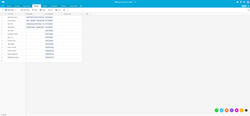 Team Member TabA tab of the database showing all the people working on assets, as well as which assets they are working on and what discipline they are a part of. |  Themes TabA tab of the asset database showing the themes of our game as well as what assets belong in those themes. |
|---|
Later in production, I also created a bug database in Airtable. This database also functioned as a bug tracking and prioritization tool, as well as a handy way to submit bugs, as the table also had a sharible, simplified bug reporting form. This helped programmers keep track of which bugs still existed in the game, which had been fixed, and which need regression testing. We used this system through the Beta milestone, after which we switched to a physical solution using post-it notes, so that the lead programmer and stakeholders could have tighter control over which bugs were going to be fixed versus which were not significant enough to risk breaking a build.
 Bug Record Example 1An example of a bug record, including a gif showing the bug happening. |  Bug Record Example 2Another example of a bug record with multiple images. |  Bug Submission FormThe simplified submission form team members could use to record bugs they found in playtesting. |
|---|---|---|
 Bug Database Main PageA snapshot of the bug database from early Beta milestone. |